Physical · 2026
Point Cloud Memory Mapper
Give it a photo of a memory. Get back that moment as a 3D point cloud.
- Status
- Shipped
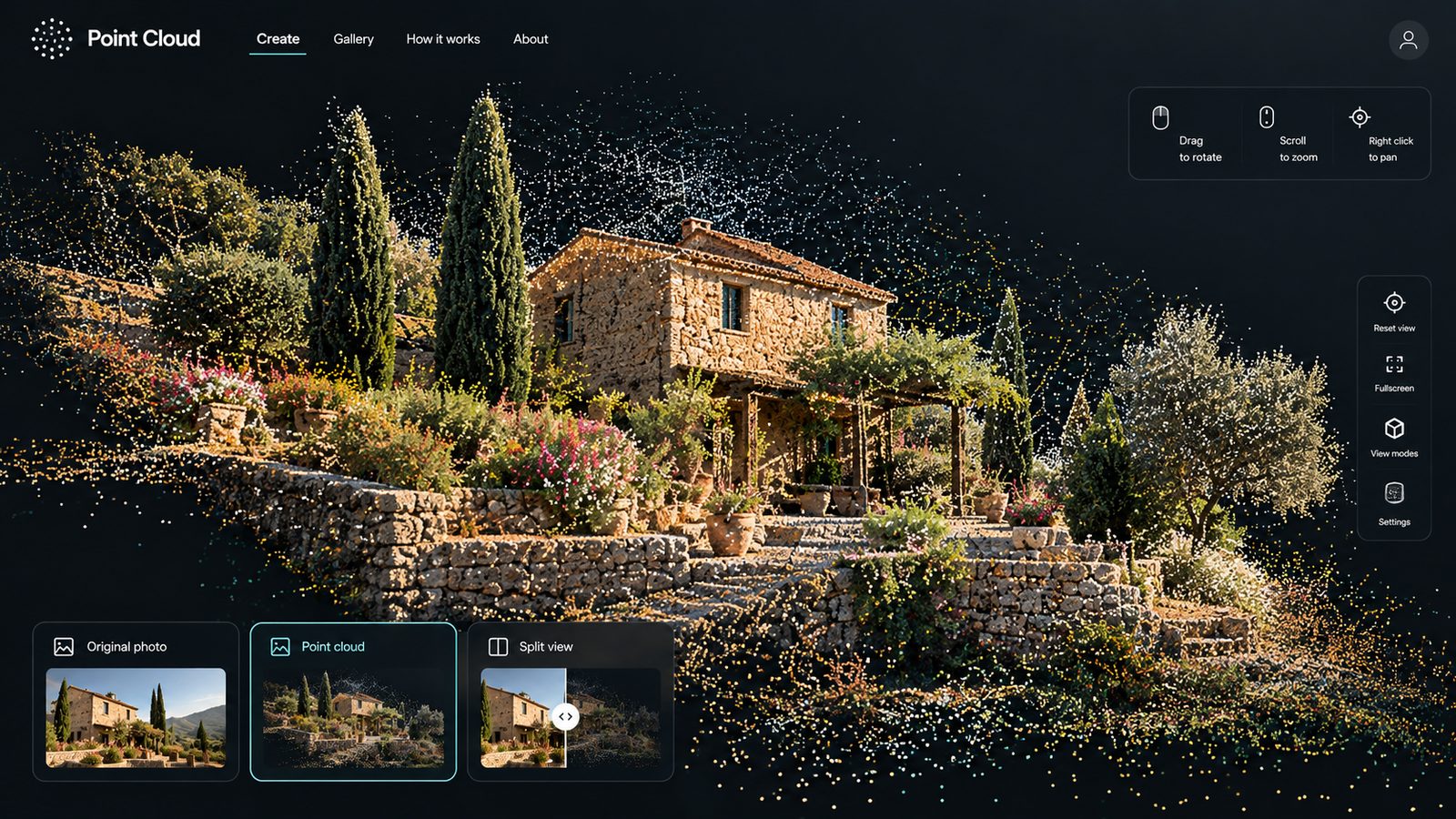
A photo is flat. A memory isn’t. This project tries to give the memory back some depth.
The idea is simple. Take a familiar photo and turn it into something you can move around in, a place you can revisit from a new angle.
But the service starts the moment someone uploads a personal image. Upload, processing, preview, export and deletion are all part of the experience. So people should always see what happens to their photo, and compare the original with the result before they keep it.
Problem
Photos of places we care about are flat. Can a single image become something spatial, and still feel like the memory?
Research
Planned: try a range of non-sensitive photos (places, not people) and talk through what people recognise in the result.
Prototype
The pipeline: estimate depth from one photo, then turn pixels and depth into 3D points you can rotate. [Verify: model, libraries and output format]
In people’s hands
Next: invite a few people to try their own non-sensitive photos.
What happened
What I expect to break: reflections, sky, hair, fine branches and overlapping subjects. A technically good point cloud can still fail if it changes the part of the photo that matters.
What’s next
Show the original beside the result, add simple controls for depth and density, and let people decide whether it's worth keeping.
How I’m approaching it
The Double Diamond, as planned. Plans loop back once real people get involved, so this one does too.
- Discover
Start with the emotional goal: what makes a photo feel like a memory?
- Define
Decide what a meaningful transformation looks like, and what it must never change.
- Develop
Build a basic photo-to-depth-to-points pipeline.
- Deliver
Inspect the results across very different kinds of images.
- Develop
Go back to the model and output decisions wherever results fail.
- Deliver
Refine the controls and the export.
UX practices
- Transparent transformationThe source photo stays visible beside the result, so changes make sense.
- Meaningful controlsA few plain controls for depth and density, not raw technical parameters.
- Privacy-aware defaultsExample images avoid people, processing is explained, and deletion is clear.
Service design
- End-to-end service mappingUpload, processing, rendering, export and deletion, including what happens when they fail.
- Expectation managementDepth estimation is an interpretation of a memory, not a perfect reconstruction.