Physical · 2026
DSB Train Map
The Danish rail network as an LED poster. Every light is a real train, moving right now.
- Status
- Prototyping
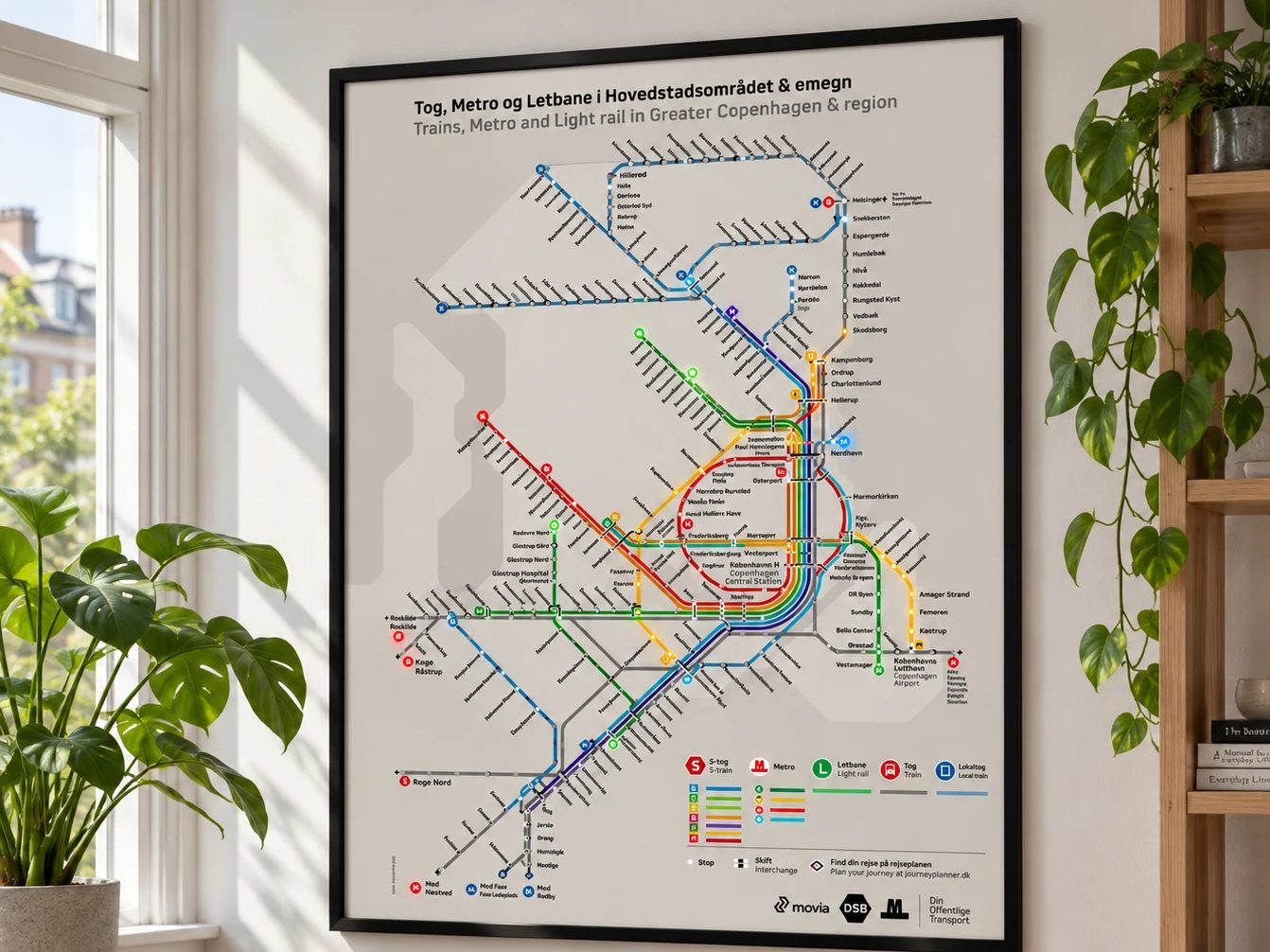
Every morning, same question. Where’s the train, and do we need to run?
Departure boards tell you about one station. Apps make you check them one at a time. I wanted to look at a wall and just know.
So I built it. An official DSB map, mounted on foam board. Every station stop cut out, with an addressable RGB LED behind it.
The brain is an Arduino running a custom sketch. A small website pulls live train data from the Rejseplanen API, cleans it up, and sends it over Wi-Fi every 30 seconds. The lights move. The trains move.
It hangs right by the front door now. Last thing we see before we leave.
Here’s the part I didn’t see coming. I showed it to people, and a lot of them had the same problem. Some asked if I could make them a smaller one.
It’s still a prototype. And it works.
Problem
Before leaving the house, I wanted to know where our train was. Departure boards show one station at a time. I wanted the whole S-train line, in one glance.
Research
Step one: find the data. The Rejseplanen API had it, but getting the right source and the authentication working took real digging.
Prototype
Version one was humble. One LED strip, one Arduino, one S-train line. A website polls the train data, cleans it up, and sends it over Wi-Fi to the Arduino every 30 seconds.
In people’s hands
It lives at home, right before the front door. One look on the way out and we know where the trains are.
What happened
The hard part wasn't the lights. It was getting the right train to the right LED, in the right order. The surprise? How many people recognised the problem and wanted one of their own.
What’s next
Smaller posters. Dimming for the evenings. And LEDs that actually animate, so the line feels alive.
How it was designed
The Double Diamond, in the order it actually happened. Real projects loop back, and this one did too.
- Discover
It started with my own routine: opening an app and checking one station at a time on the way out.
- Define
Narrowed it to one question: where is our train, and when do we leave? One S-train line, not the whole country.
- Discover
Back to research before building: finding the right data in the Rejseplanen API and getting authentication to work.
- Develop
Version one: one LED strip, one Arduino, one line. A website cleans the data and pushes it over Wi-Fi every 30 seconds.
- Deliver
Hung it by the front door and lived with it every day.
- Discover
Showing it to people reopened the first diamond. Many had the same problem, which points to smaller posters for other homes.
UX practices
- Glanceable informationOne look on the way out answers one question. No app, no tapping, no reading.
- Design for the moment of useIt hangs by the front door, right where the decision to leave gets made.
- Use a model people already knowIt's the official DSB map, so there's nothing new to learn.
Service design
- Frontstage and backstageFrontstage is a poster. Backstage is an API, a website that cleans the data and a Wi-Fi link that updates every 30 seconds.
- One touchpoint in a bigger journeyIt sits at the start of the trip from home to platform, and replaces checking an app at the door.